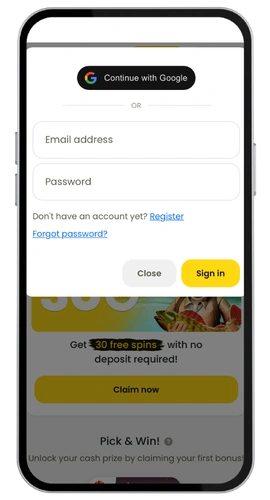

Orozino Casino App

Get the Orozino App and Claim Your Bonus

Download the app today and claim your welcome package straight onto your phone.

Orozino Kasino Czech

We created the Orozino casino app for players who want the freedom of playing without a desktop. Whether on the go, on your lunch break, or just relaxing in front of the TV, the app lets you access everything we do. Over 7,000 games, live dealer tables, slots, and full account management, right where you need it.

The app works efficiently on Android and is just as responsive through a mobile browser on iOS. It’s only 40 MB so it won’t take up much space at all. And signing up gets you a welcome bonus of 100% up to £800 + free spins plus 30 free spins with no deposit required. That’s a pretty good deal before you’ve even placed your first bet. Players based in the United Kingdom will find the app especially convenient for managing their account on the move.
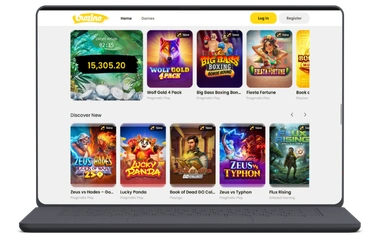
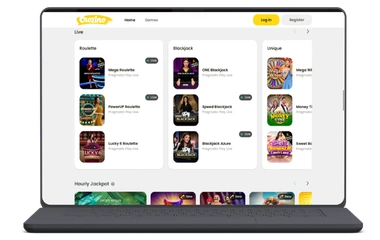
Orozino download

Important Things to Know About the App

This isn’t just a scaled-down version of the site. We’ve included everything here. Here’s what you can expect:

  • 7,000+ games including slot games, blackjack, roulette, live tables, and more
  • Complete Live Casino area with various Live Dealer Games
  • Free spins with your weekly reload, up to 400
  • VIP Program with tailored benefits and your own VIP Manager
  • Widespread payment options that include Mastercard, Visa, MuchBetter, Revolut, and Bitcoin
  • 24/7 Priority Support through live chat, email, and Help Centre
  • Works well on Android, macOS, and any mobile browser

The game providers behind the games include Microgaming, NetEnt, Pragmatic Play, Evolution Gaming, and more, so it’s all authentic quality. We have Sports Betting too, so it’s not just casino play. The user experience is optimised, menus are logical, and finding your game or withdrawing funds is straightforward.

Your account security is also a priority. We hold a Curaçao licence (1668/JAZ) through Spinsoft Interactive N.V. and take Responsible Gambling seriously. Set limits, self-exclude, or take a break anytime from your personal profile.

Orozino app

Orozino Casino APK for Android

The Orozino casino app download is fast and easy. Since we’re not on the Google Play Store, you’ll install directly through our site. It only takes a few moments and the file is a very compact 40 MB. You can download free of charge with no hidden costs involved.

  1. Browse to the official Orozino Casino website from your Android device
  2. Click the link to download the APK file directly
  3. Go to Settings, then Security, and enable “Allow unknown sources”
  4. Open the file, tap to install, and follow the on-screen instructions
  5. Sign in and start playing

The whole process takes less than five minutes. The app runs on the majority of modern Android devices and doesn’t require a top-end handset to operate smoothly. Once installed, you get the full Orozino experience including games, promotions, and all available payment methods.

Orozino mobile casino

Orozino Casino App for Your iOS Device

If you’ve got an iPhone or iPad, you can access the Orozino app through the Apple App Store. Just complete the Orozino app download and installation is as straightforward as it gets on these devices.

  1. Open the App Store on your device
  2. Type “Orozino Casino” into the search bar
  3. Tap “Get” and confirm with your Face ID, password, or Touch ID
  4. Launch the app and log in or register

Current iOS versions work fine and the download size is small enough not to cause any issues. The Orozino app download on iOS gives you full access to Live Casino Games, Table Games, progressive jackpot slots, and everything you need to manage your account. Honestly, it’s one of the easier installs out there.

Orozino Casino Application for Windows and macOS

You won’t need a separate desktop application. On Windows and macOS, all you need to do is open your browser and visit Orozino Casino. The site performs well across all major browsers, loads quickly, and requires no download time whatsoever.

Firefox, Chrome, Safari, and Edge all work perfectly. Game-heavy pages from software providers like Play’n GO, Microgaming, and NetEnt run without a hitch. Mac or PC, the experience is the same. No lag, no missing features, and the full range of casino bonuses available right from your desktop browser.

FAQ

Is the Orozino App Safe to Download?

Definitely. We operate under an official Curaçao licence (1668/JAZ) through Spinsoft Interactive N.V. Our application uses up-to-date encryption to keep your personal data and payments secure. The APK file comes directly from our website with no third-party involvement. We also take Responsible Gambling seriously, and all the tools you need to stay in control are accessible through your profile.

Can I Play in My Browser Instead of Downloading?

The site works well without installing anything via a mobile browser. That said, the Orozino casino app typically delivers a faster and more enjoyable session overall. If you’re planning to play regularly, keeping the app installed makes sense. If you just want a quick session, the browser version does the job perfectly well.

What Payment Methods Are Available in the App?

The same options available on the desktop site are available in the app. These include Revolut, Visa, Mastercard, Interac, MuchBetter, and crypto such as BTC, ETH, LTC, and XRP. Withdrawals work exactly the same way. The effective monthly cashout limit reaches up to approximately £40,000 depending on your chosen currency and payment method.

Can I Claim Casino Bonuses Through the Mobile App?

Yes, the welcome package of 100% up to £800 plus 30 no-deposit free spins is available when you sign up through the app. The weekly free spins promotion of up to 400 spins is also accessible in the app. VIP casino rewards and cashback rewards are available too. Just make sure you check the wagering requirements and rollover requirements in the terms before you claim anything.

How Much Space Does the App Take Up?

The Orozino app is a modest 40 MB, so it should sit comfortably on most phones without eating into your storage. Installation is quick, and once it’s running, it won’t put any noticeable strain on your device’s performance either.

There’s a Technical Error. What Do I Do?

The first thing to try is to reload the page or restart the app. If that doesn’t sort it, reach out to our customer support team via live chat or email us at [email protected]. Our support team is available 24/7. If you’re seeing a message about a restricted region or access being blocked for legal reasons, it’s likely that Orozino is not available in your current location.